Enlightening the User Experience: Dark Mode Design in Mobile Apps

Post by:
Paul Blizniuk
In the dynamic landscape of mobile app design, dark mode has emerged as a powerful tool for enhancing user experience and aesthetics. With its sleek and modern appearance, dark mode design not only reduces eye strain but also offers a unique visual experience that resonates with users. In this comprehensive guide, we'll explore the benefits of dark mode design in mobile apps and provide valuable tips for implementing it effectively.
Reducing Eye Strain:
One of the primary advantages of dark mode design is its ability to reduce eye strain, especially in low-light environments. The contrast between light text and dark backgrounds in dark mode interfaces minimizes the amount of light emitted by the screen, resulting in less glare and strain on the eyes. This makes it easier for users to read content and interact with the app for extended periods without experiencing discomfort or fatigue.
Enhancing Aesthetics:
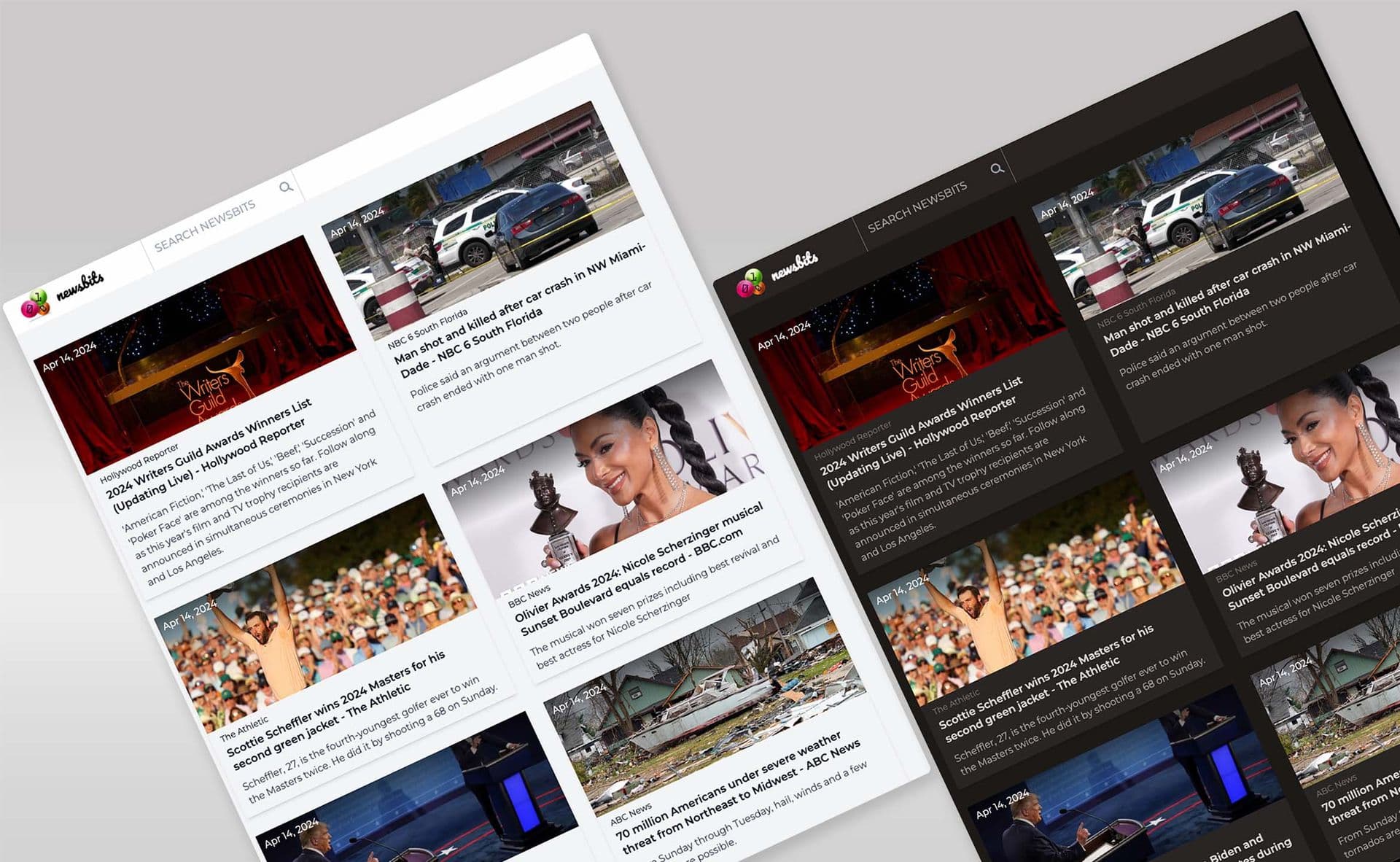
Dark mode design offers a sleek and modern aesthetic that appeals to many users. The combination of dark backgrounds with vibrant accent colors creates a visually striking contrast that captivates users' attention and makes content stand out. Additionally, dark mode design lends a sense of sophistication and elegance to mobile apps, elevating their overall appearance and enhancing brand perception.
Conserving Battery Life:
In addition to its visual appeal, dark mode design can also help conserve battery life, especially on devices with OLED or AMOLED displays. Since these displays only illuminate the pixels needed to display content in dark mode, less power is consumed compared to light mode interfaces where all pixels are illuminated. As a result, users can enjoy longer battery life when using mobile apps with dark mode design, making it a practical choice for energy-conscious consumers.
Improving Readability:
Dark mode design improves readability by reducing the amount of light emitted by the screen, making it easier for users to focus on content. The high contrast between text and background colors enhances legibility, especially in low-light conditions, ensuring that users can easily read and comprehend information without straining their eyes. Additionally, dark mode design can be customized to adjust text size, font weight, and spacing for optimal readability on mobile devices.
Implementing Dark Mode Design:
When implementing dark mode design in mobile apps, it's essential to consider user preferences and accessibility. Provide users with the option to switch between light mode and dark mode based on their preferences and environmental conditions. Additionally, ensure that text and interactive elements maintain sufficient contrast against dark backgrounds to ensure readability for all users, including those with visual impairments.
Conclusion:
In conclusion, dark mode design offers a multitude of benefits for enhancing user experience in mobile apps. From reducing eye strain and conserving battery life to enhancing aesthetics and readability, dark mode design provides a visually striking and functional alternative to traditional light mode interfaces. By implementing dark mode design effectively and considering user preferences and accessibility, mobile app developers can create immersive and engaging experiences that resonate with users and elevate their overall satisfaction.